Same job, different tool

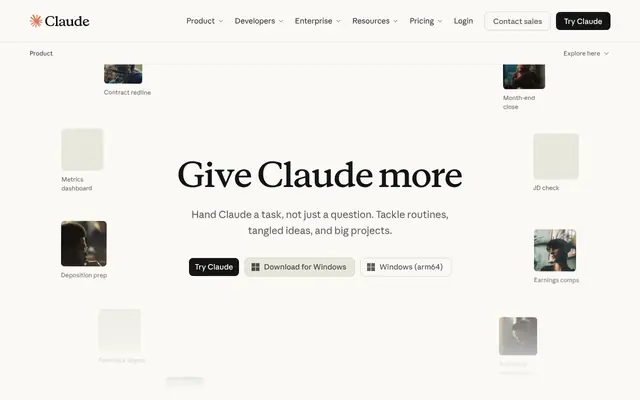
Finviz Free
PARTIAL MATCH
$0
Replaces. The same fundamental and technical filters, on delayed data
What you give up. Delayed quotes, no real-time alerts, no backtests
Check Price
Affiliate link
Stock Selection, Value, and Breakouts
Adam teaches how to pick and value stocks, size positions from account risk and stop distance, and trade breakouts without chasing extended moves. He separates a trade from a long-term investment in nearly every lesson. Here is the stack behind that process, and the tools that can do the same jobs.
Adam's recent uploads lean toward valuation and long-term holdings; his wider channel also teaches options. This page keeps the stock lessons. Software tutorials from 2017 and 2018 are dated; the screens have changed since.

Subscribers
1.1M subscribers · 2026
Public statement, not verified
His Piranha Profits biography reports 30+ years of experience (creator statement, not independently verified).
Source videoEntity
person
Channel joined 2014
Subscribers
1.1M
Channel views
66.6M
Videos
691
On YouTube since
2014
Avg views per video
about 96,400
Stack range
$0 to $64.49/mo
Did you know?
Lesson 1 of his free 10-part stock trading course has 4.5 million views.
Avg views per video is total channel views divided by public video count, the channel average. Stack range runs from the Free Start bundle to the priciest bundle. All figures 2026.
Market focus
Holding period
Preferred conditions
A stock breaking out of its base before it makes its biggest move.
Dated 2016. More sources: https://www.youtube.com/watch?v=JWlW6H1cnlU&t=1056s · https://www.youtube.com/watch?v=JWlW6H1cnlU&t=1404s
An uptrending stock pulling back to a moving average, found with a thinkorswim scan.
Dated 2017; the thinkorswim interface has changed. More sources: https://www.youtube.com/watch?v=2fc9tb0w6Rk&t=281s · https://www.youtube.com/watch?v=2fc9tb0w6Rk&t=673s
Set the stop first.
Worked examples run from 3:50; he also covers expectancy across a portfolio. More sources: https://www.youtube.com/watch?v=pFHTccTf3QM&t=328s · https://www.youtube.com/watch?v=pFHTccTf3QM&t=1070s
Before buying, decide whether the position is a technical trade or a long-term investment.
More sources: https://www.youtube.com/watch?v=0SyX8VEB7hU&t=870s · https://www.youtube.com/watch?v=k_-PAhvvTU8&t=1255s
STEP 01
Idea
Generate ideas, then run quality and cash flow filters before looking at a chart.
As taught by Adam Khoo · Source
STEP 02
STEP 03
STEP 04
STEP 05
STEP 06
Manage
When it falls, follow the plan you labeled it with: the stop for a trade, fundamentals for an investment.
As taught by Adam Khoo · Source
The Full Stack
Their pick on the left. Same job, different tool on the right. Prices sit side by side so you can do the math.
Scanner recipe
How he narrows a stock idea down to a sized trade, with the timestamp where he teaches each step.
Exact screen values (price, volume, moving-average lengths) are shown in each video; we list what he checks, not every setting. Options lessons are left out. His valuation inputs were not independently checked.▶ 0:12
Load this recipe into

Price on the official site (not checked)
His stock and options education business, linked from his videos and biography.
Affiliate link
Their pick
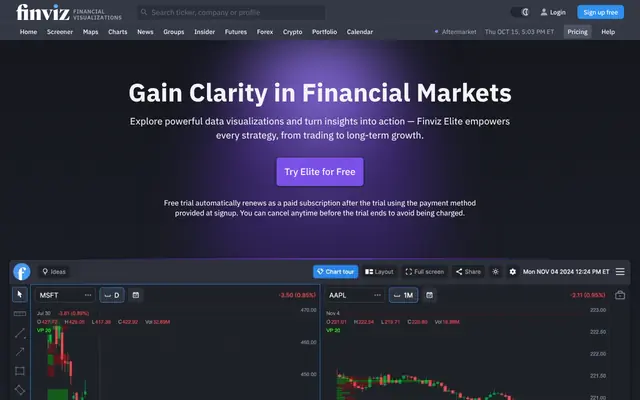
Free · Elite $39.50/mo or $299.50/yr
Why they use it. Lesson 1 of his professional stock trading course opens with Finviz for finding and filtering stocks.
Affiliate link
Their pick
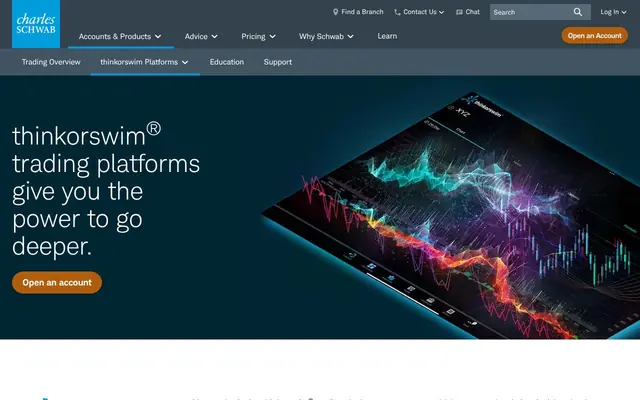

$0 platform for eligible Schwab clients
Why they use it. A full lesson builds scans for uptrend dips, moving-average bounces, and hammer patterns.
Affiliate link
Same job, different tool
$0
Replaces. The same fundamental and technical filters, on delayed data
What you give up. Delayed quotes, no real-time alerts, no backtests
Affiliate link
Same job, different tool
$39.50/mo or $299.50/yr
Replaces. Real-time screens, alerts, and backtests on the same filters
What you give up. No order entry; charts are simpler than a full platform
Affiliate link
Same job, different tool

$14.95/mo or $155.40/yr
Replaces. Fundamental and technical screening plus charts in one place
What you give up. Fewer fundamental fields than Finviz; exchange data is extra
Affiliate link
Their pick
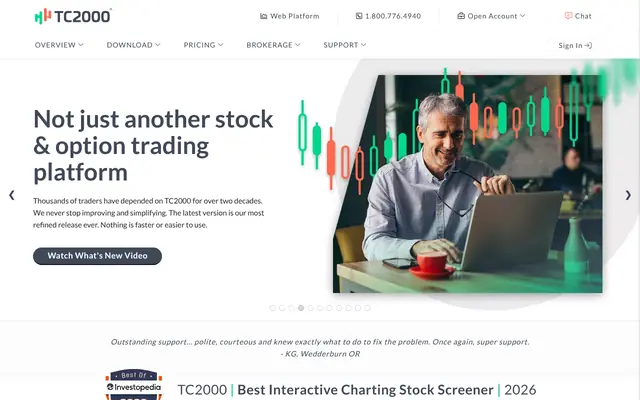

From $24.99/mo; $49.99 and $99.99 tiers; real-time U.S. stock data included
Why they use it. Referenced later in Lesson 1 of his course for charting and scanning.
Affiliate link
Same job, different tool
$14.95/mo or $155.40/yr ($12.95/mo equivalent)
Replaces. Charts, drawing tools, and alerts at breakout levels
What you give up. U.S. exchange data is a separate purchase
Affiliate link
Same job, different tool
$0 platform for eligible Schwab clients
Replaces. Charts and scans in the platform from his 2017 lesson
What you give up. Account required; heavier desktop app
Affiliate link
Their pick
Same job, different tool

$0
Replaces. Cash flow and earnings figures straight from the filings his valuation lessons use
What you give up. Manual reading; you build the model yourself
Affiliate link
His valuation lessons need real filing data. EDGAR is the free primary source.
Their pick
Same job, different tool
$0 platform for eligible Schwab clients
Replaces. Scans, charts, and orders in one platform
What you give up. Account and data agreements required
Affiliate link
Same job, different tool

$0 platform; data from $4.50/mo
Replaces. Global stock access with low commissions
What you give up. Steeper learning curve; data subscriptions are separate
Affiliate link
Their pick
Product not named
Why they use it. He works out the share count from account risk and stop distance on screen.
Same job, different tool

$0
Replaces. The same math: account risk divided by stop distance equals shares, plus a trade log
What you give up. You build the sheet once; everything else is typed by hand
Affiliate link
Same job, different tool

$19.99/mo or $179/yr
Replaces. Automatic stats on risk per trade and results by setup
What you give up. Check that your broker import is supported first
What the AI actually does. The AI coach shows whether your losses stay inside the risk you planned.
Affiliate link
Their pick
Same job, different tool

$20/mo or $200/yr
Replaces. The slow first pass through a filing before a valuation
What you give up. It can misread a table; check every number against the filing. It cannot tell you a stock is cheap
What the AI actually does. Reads a 10-K you upload, pulls the cash flow figures, and drafts a simple discounted cash flow you can check line by line. It also asks the question he asks: is this a trade or an investment?
Affiliate link
Prices are subject to change fast, like AI technology.
Computer, monitor, and desk models were not shown in the videos we reviewed.

FullStack Alpha suggestion; Adam has not published a hardware list. Research and swing trading run well on one laptop and one external monitor.▶ 6:35

Apple MacBook Air 13.6" M5, 16GB, 512GB
$1,000 to $2,000
Affiliate link

Acer SB242Y H1bi (x2)
Under $100
Affiliate link

VIVO STAND-V002 Dual Mount
Under $100
Affiliate link

Elgato Stream Deck Mini
Under $100
Affiliate link
Prices change daily on Amazon. Check each item's current price. Compare more in the Gear Lab
Ready-made stacks
The AI Full Stack
One-time. Swing Starter desk $200 to $300 + computer $1,000 to $2,000. Check current prices on Amazon. Gear Lab
 Finviz EliteReal-time screens and alerts$39.50/mo
 TradingView EssentialBreakout charts and alerts$14.95/mo
 TradesViz ProAI risk and setup review$19.99/mo
 Claude ProAI filing reader and valuation draft$20/mo
$94.44/mo month to month
$833.90/yr
Broker, exchange data, and commissions are separate. Keep your broker.
Built by FullStack Alpha from Adam Khoo's public lessons. This exact stack is not his and is not endorsed by him.
$833.90/yr ($69.49/mo equivalent): Finviz Elite $299.50 + TradingView Essential $155.40 + TradesViz Pro $179 + Claude Pro $200, every component at a verified price.
$0/mo
Finviz Free$0 thinkorswim$0
 SEC EDGAR$0
 LibreOffice Calc$0
Stays manual. Reading filings, building the valuation, sizing each trade, every journal entry
thinkorswim is free for eligible Schwab clients.
$20/mo
Or $200/yr ($16.67/mo equivalent) $200/yr ($16.67/mo equivalent)
Finviz Free$0thinkorswim$0SEC EDGAR$0LibreOffice Calc$0Claude Pro$20Stays manual. Final buy and sell decisions; AI does the first pass through the filing
$64.49/mo
Known subtotal: Finviz Elite $299.50/yr + TC2000 $299.88 paid monthly = $599.38/yr ($49.95/mo equivalent) $599.38/yr ($49.95/mo equivalent)
Finviz Elite$39.50 TC2000 (entry plan)$24.99LibreOffice Calc$0
Stays manual. Valuation, sizing, and the journal
The two tools from his 2018 course at today's prices. TC2000 annual billing exists, but its yearly price was not shown on the page we checked.
Totals cover software and selected data only. Commissions, exchange fees, hardware, and taxes are not included. TradesViz annual prices are current advertised offers. Prices checked 2026.
Adam Khoo's broker is not named in the public videos we reviewed, so we do not guess. Same job, different tool: thinkorswim (Charles Schwab) at $0 platform for eligible Schwab clients. Keep the broker you already have if it covers the market and the data your routine needs.
For screening and ideas, Adam Khoo uses Finviz (historical in 2018; Free · Elite $39.50/mo or $299.50/yr); thinkorswim scanner (historical in 2017; $0 platform for eligible Schwab clients). Lesson 1 of his professional stock trading course opens with Finviz for finding and filtering stocks. Same job, different tool: Finviz Free at $0.
Adam Khoo charts on TC2000 (historical in 2018; From $24.99/mo; $49.99 and $99.99 tiers; real-time U.S. stock data included). Referenced later in Lesson 1 of his course for charting and scanning. Same job, different tool: TradingView Essential at $14.95/mo or $155.40/yr ($12.95/mo equivalent).
The software stacks on this page run $0 to $64.49/mo. The cheapest, Free Start, is Finviz Free $0 + thinkorswim $0 + SEC EDGAR $0 + LibreOffice Calc sizing sheet $0. Our pick, AI Research, is Free Start + Claude Pro $20. Commissions, exchange fees, and hardware are separate. Prices checked 2026.
No AI tool appears in Adam Khoo's public videos that we reviewed. The AI Full Stack on this page is FullStack Alpha's rebuild of the same routine, not Adam Khoo's own setup.
24:37 · 2026
Adam Khoo shows how to estimate a stock's fair value to judge whether it is cheap or expensive. Treat the result as an estimate, and write down where the model is weak before you trust the number.
Watch on YouTube27:59 · 2026
Adam Khoo's stock selection process starts with idea generation, then quality and cash flow filters before any chart. Before buying, label the position a technical trade or a long-term investment, because that label decides what you do when it falls.
Watch on YouTube29:25 · 2026
When a holding is crashing, Adam Khoo goes back to how the position was labeled at the start: a technical trade or a long-term investment. A trade exits on its stop, while an investment gets judged on its fundamentals when the price falls.
Watch on YouTube89:23 · 2018
Lesson 1 of Adam Khoo's 2018 professional trading course opens with Finviz for finding and filtering stocks, then turns to a charting and scanning platform later on. Use it as a tools-first starting point, but expect the 2018 screens to look dated.
Watch on YouTube17:04 · 2017
Adam Khoo builds thinkorswim scans for uptrending stocks pulling back to a moving average, with a bullish hammer or pin bar at the average as one signal. Exact screen values are in the video, and the 2017 interface has changed since.
Watch on YouTube33:22 · 2017
Adam Khoo's sizing rule is simple: set the stop first, then divide the dollars you will risk by the distance from entry to stop to get your share count. He works the examples on screen and also covers expectancy across a portfolio.
Watch on YouTube29:38 · 2016
Adam Khoo teaches buying breakouts early and warns against chasing once the move is extended. False breakouts are the main risk he names, and the stop handles them, with exit management covered later in this 2016 lesson.
Watch on YouTubeDollar figures in video titles are the creator's own.
Watch the foundation lesson
Start with "Professional Stock Trading Course Lesson 1 of 10 by Adam Khoo" before the advanced material. Open on YouTube
Write the setups down
Copy the 4 setup cards on this page into your own words: conditions, entry, exit, risk.
Build the Free Start stack
Finviz Free $0 + thinkorswim $0 + SEC EDGAR $0 + LibreOffice Calc sizing sheet $0. Learn the process before you pay for speed. Load it in the Stack Builder
Log 20 trades or paper trades
Journal every one, including the bad ones. Your journal, not a video, decides what works for you.
Upgrade to AI Research
Free Start + Claude Pro $20. Add paid tools one layer at a time, starting with the job your journal says costs you most. Load it in the Stack Builder
A FullStack Alpha study order built from Adam Khoo's public lessons. Process beats prediction: master one layer before you pay for the next.
Incoming transmission | Free weekly newsletter
FullStack Alpha has tested 200 AI stock tools. Be honest: how many of yours do the same job, and which one did you forget you signed up for?
One email a week fixes that: which tools are worth the money, what they cost right now, and how the traders on this site wire them into a routine. Five minutes to read. Zero noise.
Inside every issue
5 MIN READ
The Verdict
One AI trading tool tested and scored. What it does well, what it costs, and the catch the sales page leaves out.
Price Watch
Price changes and live promos on the tools traders actually use, monthly and annual side by side, so you stop overpaying.
Workflow Teardown
One educator's routine taken apart: the scan, the chart, the tools, and the free swap for every paid one.
Scan of the Week
Exact scanner settings you can copy, pulled from the educator's own lesson with the timestamp.
Process beats prediction. This is the email that keeps your process honest.