
Safety check
Is That GitHub Trading Bot Safe? | 10 Checks Before You Run It
Open source does not mean safe. It means you are allowed to check. These ten checks take about fifteen minutes and protect the keys to your account.
Read the transcript
Here's the scariest line in trading: copy this command and paste it into your terminal. Ninety seconds from now, you'll know when to say no.
GitHub is a Microsoft-owned library of free code, and anyone can put a trading bot on it. Open source doesn't mean safe. It means you're allowed to check.
Scammers know traders want an edge. So they clone popular bots like Freqtrade under near-identical names, buy fake stars, and wait for someone to paste in an API key. Vibe-Trading's own README warns that a fake X account and a crypto token are using its name.
Five checks.
One, compare stars to age. Ten thousand stars on a repo born last month? Real projects grow slowly.
Two, check the owner. A brand-new account with one repo shouldn't hold the keys to your Binance or Alpaca account.
Three, find the original through the project's official website, not a search result.
Four, read the install steps. Downloads from outside GitHub, or a request to turn off antivirus, is a hard stop.
Five, never enable withdrawals on a bot key. A bot never needs to move money out of your account.
Then run it in paper mode for weeks before real money.
Already ran something sketchy? Revoke your keys now. Five minutes of hassle beats losing the account.
Scroll down for all ten checks.
This is education, not financial advice. Your market edge starts with the right tool. Stay alpha.
FullStack Alpha Editorial Team
Reviewed by Jay Rocco, Chief Editor
What Should You Check Before Running a Trading Bot From GitHub?
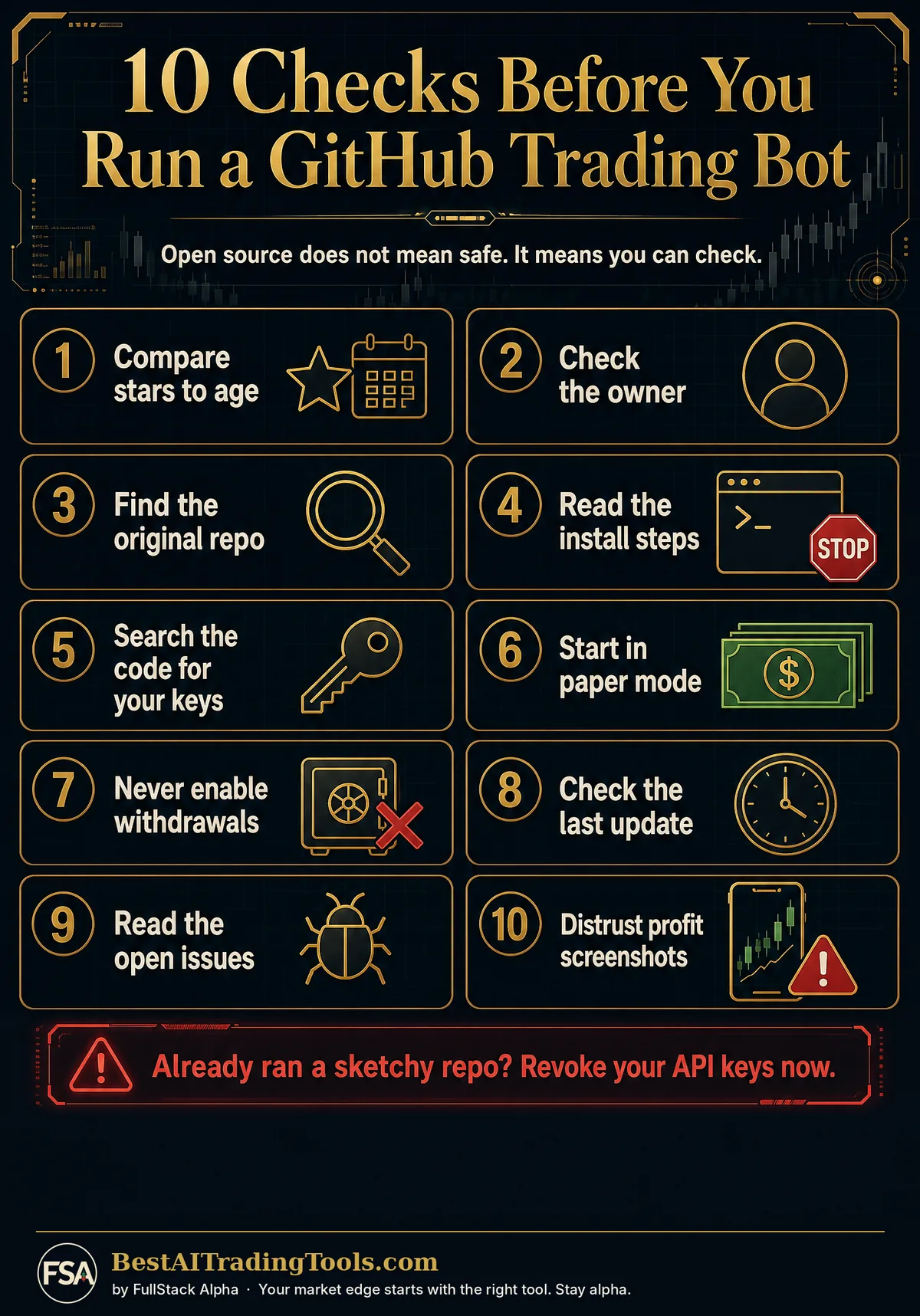
01Compare stars to age
Thousands of stars on a repo created last month is a red flag. Real projects grow slowly. Bought stars arrive all at once.
02Check the owner
Click the owner's profile. A brand-new account with one repo and no history should not be holding your API keys.
03Look for the original
Scammers clone popular bots under near-identical names. Find the official repo from the project's own website, not from search results.
04Read the install steps
Any step that downloads a file from outside GitHub, runs a pasted command from a stranger, or asks you to turn off antivirus is a hard stop.
05Search the code for your keys
Search the repo for words like key, secret and wallet. Your keys should only be read from your own environment file, never sent anywhere.
06Start in paper mode
Every serious bot and broker connector has a paper or dry-run mode. Use it for weeks before real money.
07Use read-only or limited keys
Create broker keys with trading limits, and never enable withdrawals. A bot never needs to move money out of your account.
08Check the last update
Trading code goes stale fast. No commits in a year means the next broker API change could break it mid-trade.
09Read the open issues
Issues are where users report bugs, losses and broken setups. A repo with hundreds of unanswered issues is telling you something.
10Be suspicious of profit claims
Real open-source projects show code and backtest methods. Repos that lead with screenshots of profits are marketing, not software.
The 10 Checks on One Page
What If You Already Ran a Suspicious Repo?
Revoke every API key the code could see, starting with your broker and exchange. Move crypto to a fresh wallet. Then scan the machine before you log in to anything else.
Speed matters more than certainty here. Revoking a key costs you five minutes. Waiting can cost you the account.
Where Should You Go Next?
Want a tool that is already built and tested? Our hands-on AI stock tool reviews on AIStockPickerApp.com score finished products on five pillars, the AI stock tools directory at AIStockPickerApps.com sorts 200+ tools by the job they do, and AIStockTradingBots.com walks through broker APIs, bot setup and backtesting step by step. Or head back to the Trading Workflows home page to match tools to your own routine and budget.
Common Questions
Can a GitHub trading bot steal my money?
Yes, if it is malicious and you give it a key with withdrawal rights. Fake bots copy real project names to collect API keys and wallet phrases. Use trade-only keys and read the code before you run it.
How do I know if a GitHub repo is legit?
Check that the stars grew over time, the owner has a real history, the project links to an official site, and the code is updated. Then run it in paper mode first.
Should I ever paste my seed phrase or broker password into a bot?
No. A legitimate trading bot uses an API key you create with limits. Any tool that asks for a seed phrase or your login password is a red flag.